
Buy WiFi Extenders & Repeaters in Nigeria
Improve weak WiFi signals in bedrooms, upstairs rooms and offices with WiFi range extenders from TP-Link, Tenda and Mercusys. Compare models, wireless standards and prices in Nigeria to find the right solution for your home or business.
Choose by exact model, connected equipment and installation requirements. Compare power input, interfaces and compatibility; confirm regional variants and current availability before ordering.
Compare productsTP-Link RE315 AC1200 WiFi Extender
WiFi: AC1200 dual-band · Port: 1 × 10/100 Ethernet
Mercusys ME30 AC1200 WiFi Extender
WiFi: AC1200 dual-band
Tenda A18 AC1200 WiFi Range Extender
WiFi: AC1200 dual-band · Port: 1 × Gigabit
Mercusys MW300RE 300Mbps Range Extender
WiFi: N300 2.4 GHz
TP-Link RE200
A WiFi extender that repeats your existing WiFi signal into weak areas, built as the TP-Link RE200.
TP-Link RE305
TP-Link RE305: a WiFi extender that repeats your existing WiFi signal into weak areas.
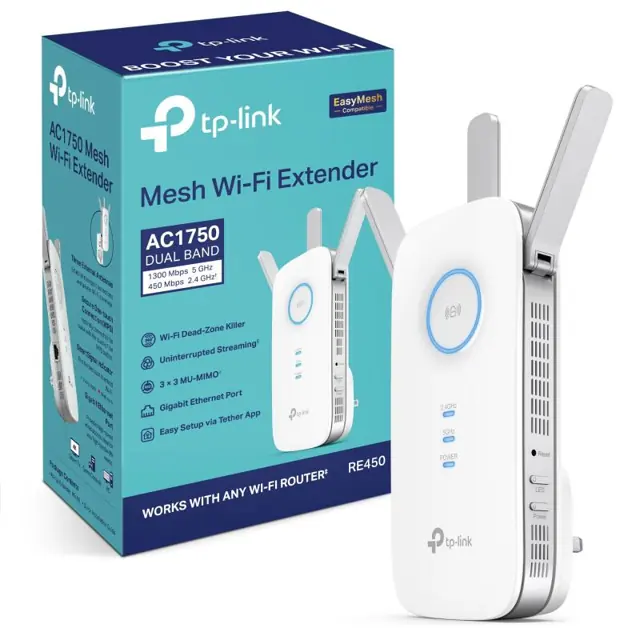
TP-Link RE450
The TP-Link RE450 is a WiFi extender that repeats your existing WiFi signal into weak areas.
TP-Link RE700X
A WiFi extender that repeats your existing WiFi signal into weak areas, built as the TP-Link RE700X.
TP-Link RE705X
TP-Link RE705X: a WiFi extender that repeats your existing WiFi signal into weak areas.
Tenda A9
The Tenda A9 is a WiFi extender that repeats your existing WiFi signal into weak areas.
Tenda A23
A WiFi extender that repeats your existing WiFi signal into weak areas, built as the Tenda A23.
Mercusys ME10
Mercusys ME10: a WiFi extender that repeats your existing WiFi signal into weak areas.
Mercusys ME20
The Mercusys ME20 is a WiFi extender that repeats your existing WiFi signal into weak areas.
Mercusys ME50G
A WiFi extender that repeats your existing WiFi signal into weak areas, built as the Mercusys ME50G.
Mercusys ME60X
Mercusys ME60X: a WiFi extender that repeats your existing WiFi signal into weak areas.
Mercusys ME10 2-pack
The Mercusys ME10 2-pack is a WiFi extender that repeats your existing WiFi signal into weak areas.
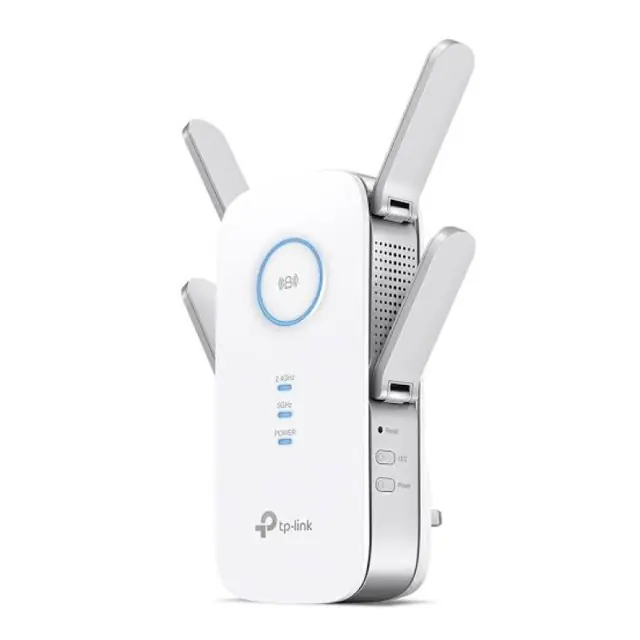
TP-Link RE650 AC2600 WiFi Range Extender
WiFi: AC2600
Wavlink WS-WN572HP3 AC1200 Dual-Band Outdoor WiFi Extender
WiFi: AC1200
TP-Link RE500X network extender Network transmitter & receiver White 1000 Mbit/s
A WiFi extender that repeats your existing WiFi signal into weak areas, built as the TP-Link RE500X network extender Network transmitter & receiver White 1000 Mbit/s. Key detail — Type: WiFi extender.
TP-Link RE205 network extender Network repeater 10, 100 Mbit/s
TP-Link RE205 network extender Network repeater 10, 100 Mbit/s: a WiFi extender that repeats your existing WiFi signal into weak areas. Key detail — Type: WiFi extender.
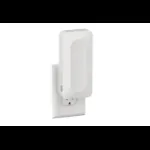
NETGEAR EAX12-100UKS network extender Network repeater White 10, 100, 1000 Mbit/s
NETGEAR EAX12-100UKS network extender Network repeater White 10, 100, 1000 Mbit/s: a WiFi extender that repeats your existing WiFi signal into weak areas. Key detail — Type: WiFi extender.
Choose the right WiFi coverage solution
Start with the existing router, the number of weak rooms and whether you can run Ethernet cable. Advertised wireless rates are not guaranteed internet speeds or a promise of whole-house coverage.
Listed WiFi extender prices range from ₦26,000 to ₦144,000. Confirm the exact model, availability and final price before payment.
Check the weak room before buying an extender
Compare beside the router and in the weak room
Use the same phone or laptop and the same task in both places. If both are slow, investigate the internet connection or router load first. An extender will not repair a congested mobile network, an exhausted data plan or an ISP outage.
Find a usable relay position
Check a socket between the router and destination before ordering. If the connection is already poor there, putting a repeater in that socket passes on a weak link. Try moving the router or assess Ethernet cabling instead.
Choose the connection back to the router
For one weak room, a wireless repeater can be a practical compromise. For work calls across concrete floors, consider a wired access point. For coordinated WiFi across several rooms, compare mesh—but confirm node compatibility and whether its backhaul will be wired or wireless.
What to send WiFi Store for a model recommendation
Send your router model, the number of floors, the weak room, whether Ethernet can be run and your budget. Include your Starlink kit generation if relevant. This helps distinguish a repeater purchase from an access-point installation; coverage is not confirmed without checking the building.
| Option | When to consider it | What to check |
|---|---|---|
| WiFi extender / repeater | One weak area with a usable router signal nearby | Bands, security compatibility, placement and operating modes; repeated traffic shares airtime |
| Mesh WiFi system | Several rooms or floors needing coordinated WiFi | Compatible nodes, backhaul and placement; wireless nodes still need a good link |
| Wired access point | Ethernet can reach the weak room or floor | Cabling, power or PoE, controller requirements and installation |
Availability, delivery and buying terms
Confirm availability
A catalogue listing is not confirmation of stock. Send the exact model and your city before ordering; stock and delivery are confirmed before payment.
Delivery in Nigeria
Lagos: 1–2 working days. Outside Lagos: 3–5 working days. Delivery fees vary by location and are confirmed on WhatsApp.
Warranty and returns
Ask for the exact model’s warranty terms before payment. Do not assume every brand has the same warranty. Read our refund policy for fault reporting and return conditions.
WiFi extender questions
What is the difference between a WiFi extender and a repeater?
These names often describe the same type of device: it receives an existing WiFi signal and rebroadcasts it. Check the exact model’s operating modes. A USB WiFi adapter only connects a computer to WiFi; it does not extend coverage for other devices.
Will a WiFi extender make my internet faster?
It can improve the connection in a weak-signal area, but it cannot increase your internet plan’s speed. Repeating over WiFi uses wireless airtime, so throughput can be lower than near the main router. Compare a wired access point or wired mesh connection when reliable speed is important.
Where should I place a WiFi repeater?
Place it between the router and the weak room, where it still receives a usable signal—not inside the dead spot. Use the model’s signal indicator and test at the destination. Concrete walls, metal, interference and floor slabs can prevent a reliable wireless link.
Is an extender or mesh system better for upstairs WiFi?
An extender may suit one weak area when there is a strong signal near the stairs. For multiple floors or many weak rooms, consider mesh or cabled access points. Ethernet between floors is generally more predictable than sending the connection through a concrete slab.
Can I use a WiFi extender with Starlink?
Check the Starlink router generation, WiFi security settings and the extender’s supported modes. A wireless repeater connects to existing WiFi; a wired access point needs a usable Ethernet connection. Some Starlink kits need an Ethernet adapter and others have Ethernet built in. Do not buy an adapter without checking your exact kit.
Does every extender have an Ethernet port or mesh support?
No. Check the exact model and hardware revision before buying. An Ethernet port does not automatically mean access-point mode, gigabit speed or compatibility with your router’s mesh platform. Mesh branding and supported firmware must match the manufacturer’s compatibility requirements.