
USB Modems
A cellular USB modem connects compatible equipment to a mobile network. Check the exact modem, SIM requirements and operating-system support; a USB WiFi adapter is a different device.
Compare productsHuawei E3372 4G USB Modem
Network: 4G LTE Cat4 · Interface: USB 2.0
ZTE MF79U 4G USB WiFi Modem
Network: 4G LTE Cat4 · WiFi: Up to 10 devices
Huawei E8372
The Huawei E8372 is a USB modem that connects a computer to mobile internet.
Huawei E3372h
A USB modem that connects a computer to mobile internet, built as the Huawei E3372h.
ZTE MF833V
ZTE MF833V: a USB modem that connects a computer to mobile internet.
ZTE MF79
The ZTE MF79 is a USB modem that connects a computer to mobile internet.
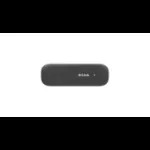
D-Link DWM-222 4G LTE USB Adapter/Dongle
A USB modem that connects a computer to mobile internet, built as the D-Link DWM-222 4G LTE USB Adapter/Dongle. Key detail — Type: network / AV accessory.
How to choose a USB modem in Nigeria
A cellular USB modem connects compatible equipment to a mobile network. Check the exact modem, SIM requirements and operating-system support; a USB WiFi adapter is a different device.
Listed prices range from ₦62,000 to ₦199,000. Confirm the exact model, availability and final price before payment.
Match the modem to the device you use
One laptop
Confirm driver support for your exact Windows, macOS or Linux version and whether the modem needs software or presents a network interface. A USB plug alone does not establish compatibility.
A router backup connection
Check the router manufacturer’s supported-modem list for the exact modem revision and firmware. Having a USB port does not mean a router supports cellular modems.
Several phones or laptops
Check whether the exact USB modem has built-in hotspot functionality. Otherwise compare a MiFi or SIM router; ordinary USB modem connectivity does not automatically provide shared WiFi.
Do not confuse a cellular modem with a USB WiFi adapter, which connects to an existing WiFi network. “Unlocked” does not confirm supported bands, router compatibility or a working data plan.
| Device | Connection | Before buying |
|---|---|---|
| Cellular USB modem | Mobile data for compatible USB-connected equipment | Exact bands, drivers, SIM lock and APN |
| USB WiFi adapter | An existing WiFi network; not a cellular connection | Operating system and WiFi standard |
| MiFi or SIM router | A shared mobile-data connection | Battery or power source, network support and ports |
Test your Nigerian SIM at the intended location
Compare reception and congestion where you work, including busy evening hours. Confirm the exact regional modem’s bands, lock status, APN and plan with the intended operator; no generic 4G label guarantees service.
Check power and heat
Follow the modem and host manufacturer’s USB power requirements. Keep ventilation clear and confirm any hub or extension is suitable; do not assume a phone charger provides a data connection.
Delivery and availability
Lagos: 1–2 working days. Outside Lagos: 3–5 working days. Fees vary by location. A listing is not confirmation of stock; stock and the final price are confirmed on WhatsApp before payment.
Questions buyers ask
Does every USB modem share internet over WiFi?
No. Some exact models include hotspot functionality, while others provide a connection only to compatible host equipment. Check the specification before buying; host-based sharing requires a supported operating system and setup.
Will a USB modem work in my router?
Only when the router supports that exact modem and revision. Check the supported-device list, firmware and mobile-network settings; a USB port may serve storage or other functions instead.
Can I use any Nigerian SIM?
Confirm the modem’s regional bands, lock status and the operator’s plan, APN and provisioning. Test coverage at the intended address before payment.