
MiFi & Pocket WiFi
Portable 4G and 5G MiFi hotspots share one SIM connection with phones and laptops. Compare network support, battery, connected-device limits and price before you buy.
Compare productsTP-LINK M7300 Portable WiFi 4G Router W/ Embedded SIM (300Mbps N) Router
Ports: 00 ports
TP-LINK M5360 Portable WiFi 3G Router W/ Embedded SIM (300Mbps N)
Ports: 60 ports
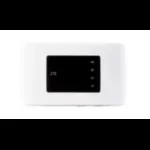
ZTE MF920C cellular network device Cellular network router
ZTE MF920C cellular network device Cellular network router: a pocket MiFi that shares one mobile SIM over WiFi. Key detail — Type: portable router.
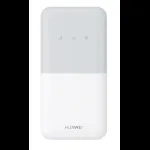
Huawei 4G Mobile WiFi 5 (E5586-326) Cellular network router
A pocket MiFi that shares one mobile SIM over WiFi, built as the Huawei 4G Mobile WiFi 5 (E5586-326) Cellular network router. Key detail — Type: portable router.
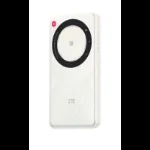
ZTE U30 AIR wireless router Dual-band (2.4 GHz / 5 GHz)
A pocket MiFi that shares one mobile SIM over WiFi, built as the ZTE U30 AIR wireless router Dual-band (2.4 GHz / 5 GHz). Key detail — Type: portable router.
How to choose a MiFi in Nigeria
Portable 4G and 5G MiFi hotspots share one SIM connection with phones and laptops. Compare network support, battery, connected-device limits and price before you buy.
Listed prices range from ₦12,000 to ₦540,000. Confirm the exact model, availability and final price before payment.
Buying a MiFi for commuting, study or a small flat?
For a phone and laptop on the move
Start with a pocket hotspot, not an outdoor CPE. Check its charging connector, replaceable-battery policy and the exact model’s supported bands. Carrying a power bank does not remove the need to manage heat while charging.
For video calls and evening study at home
Try your intended SIM in the room where you work, both in the daytime and during busy evening hours. Compare the same call or download near a window. Stronger WiFi bars alone do not prove that the mobile-network connection is good.
For a shared flat or all-day office
Compare a mains-powered SIM router before buying a pocket hotspot. Count simultaneous calls, streaming and uploads rather than just connected phones; a hotspot’s maximum device count is not a capacity promise.
Do not choose by “unlocked”, “5G WiFi” or battery hours alone. Unlocked describes the SIM restriction; 5 GHz WiFi is the local wireless band and is not proof of a 5G cellular modem. Confirm the exact cellular specification.
| Type | Best for | What to check |
|---|---|---|
| 4G LTE pocket MiFi | Daily commuting, a phone and a laptop, areas with good 4G | Supported LTE bands (Band 3 / 1800 MHz is widely used in Nigeria), battery size, SIM lock |
| 4G+ (LTE-Advanced) MiFi | Busier areas where your network offers carrier aggregation | LTE category and whether your network supports aggregation where you use it |
| 5G mobile hotspot | Places with confirmed 5G coverage from your network | 5G band n78 (3.5 GHz) support, heat and battery drain, 5G plan cost |
Test the signal first
Check coverage where you will actually use the MiFi, indoors and at busy hours. A MiFi cannot create signal that is not there; in weak areas an outdoor router with an antenna is the better choice.
Battery and connected devices
Manufacturer battery hours are measured under ideal conditions. Runtime drops with more connected devices, 5G use and weak signal. The maximum user count is a technical limit, not a recommendation.
SIM lock and network
Some MiFi units are locked to one network. Confirm the exact model works with your SIM before payment.
Delivery and availability
Lagos: 1–2 working days. Outside Lagos: 3–5 working days. Fees vary by location. A listing is not confirmation of stock; stock and the final price are confirmed on WhatsApp before payment.
Questions buyers ask
Which MiFi works with MTN, Airtel, Glo and 9mobile?
Compare the exact regional model’s bands with your network at the locations you use. Unlock status alone is insufficient: confirm the SIM plan, APN and network provisioning before payment.
How many devices can connect to a MiFi?
Each model lists a maximum, often 10 to 32 devices, but speed is shared. For more than a few heavy users, a 4G/5G router on mains power usually gives a steadier connection.
Is a 5G MiFi worth it?
Only where your network has 5G coverage at your location. Outside 5G areas a 5G MiFi falls back to 4G, so test coverage before paying extra.
Can I use a MiFi while it charges?
Most models can, but continuous charging adds heat. For all-day home or office use, a mains-powered 4G or 5G router is more suitable.